New features, improvements, and fixes shipped to InsForge.
Referrals Are Here
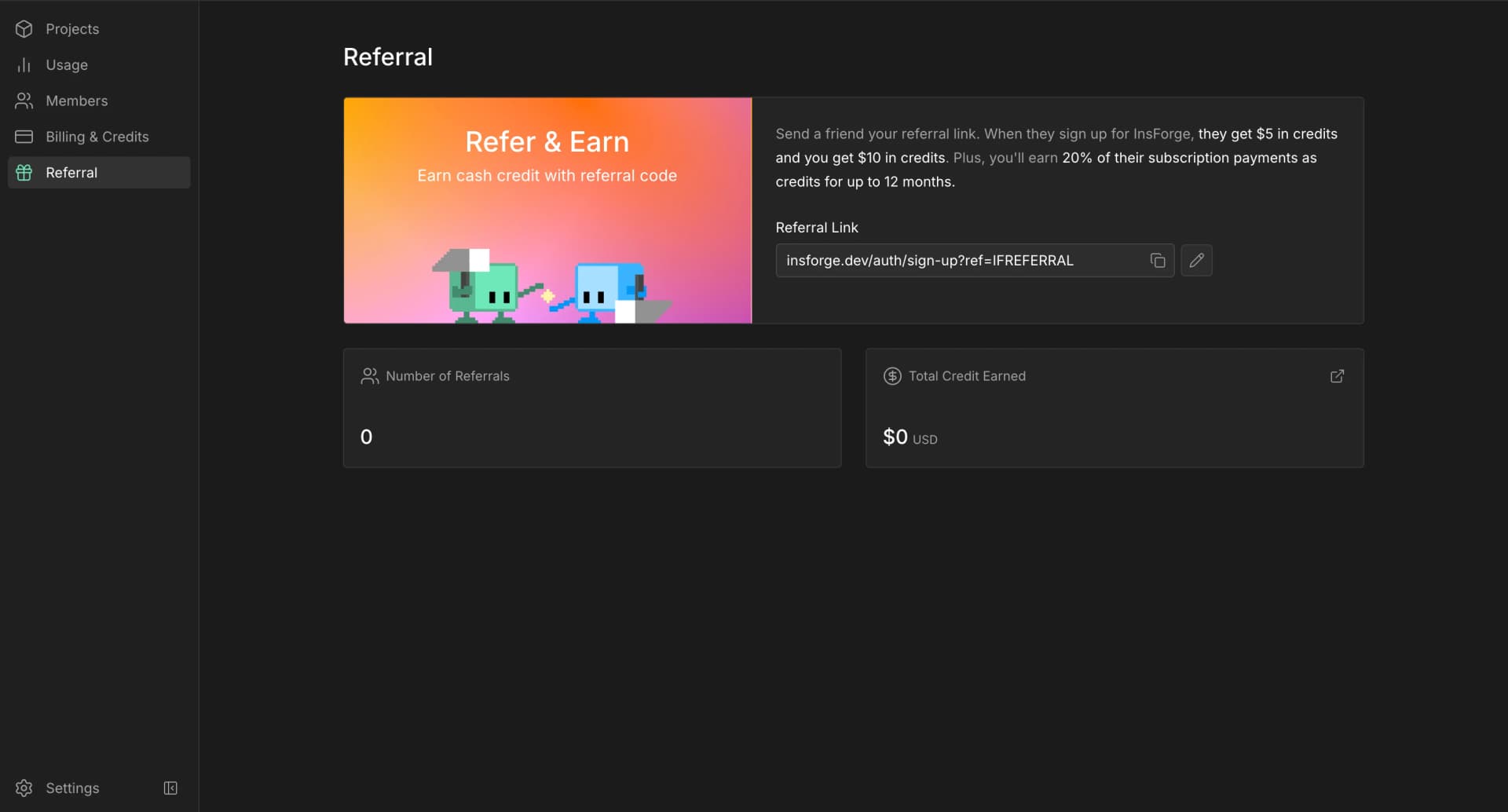
You can now earn credits by referring InsForge to your friends!
Every organization has a referral link in the dashboard. Share it with another builder, and when they sign up for InsForge, they get $5 in credits. Your organization gets $10 in credits, plus 20% of their subscription payments as credits for up to 12 months.
The Referral page also shows your referral count and total credit earned, so you can see every invite turn into more fuel for your projects.
Share InsForge with someone who is building, give them credits, earn credits back, and keep shipping incredible ideas!
InsForge now connects to Apify in one OAuth click. Open Web Scraper in the dashboard, click Connect Apify, and authorize your own Apify account. Once connected, your coding agent can pull external data on demand without you wiring up any keys.
Connect from the dashboard or the CLI:
bash
insforge webscraper apify connect
The Web Scraper page also shows a copyable prompt: paste it into Claude Code, Cursor, or any coding agent running the InsForge skill and it drives Apify through the insforge webscraper apify skill, with no manual apify login or API keys.
Backend Advisor on Self-Hosted
The Backend Advisor now ships in the open-source, self-hosted dashboard. It has been available on InsForge Cloud, and the same scan now runs on self-hosted projects too: it checks your database and backend for security, performance, and health problems and points you at the fix.
Every finding comes with a copyable remediation prompt you can paste into any coding agent to apply the fix.
Custom Compute Usage
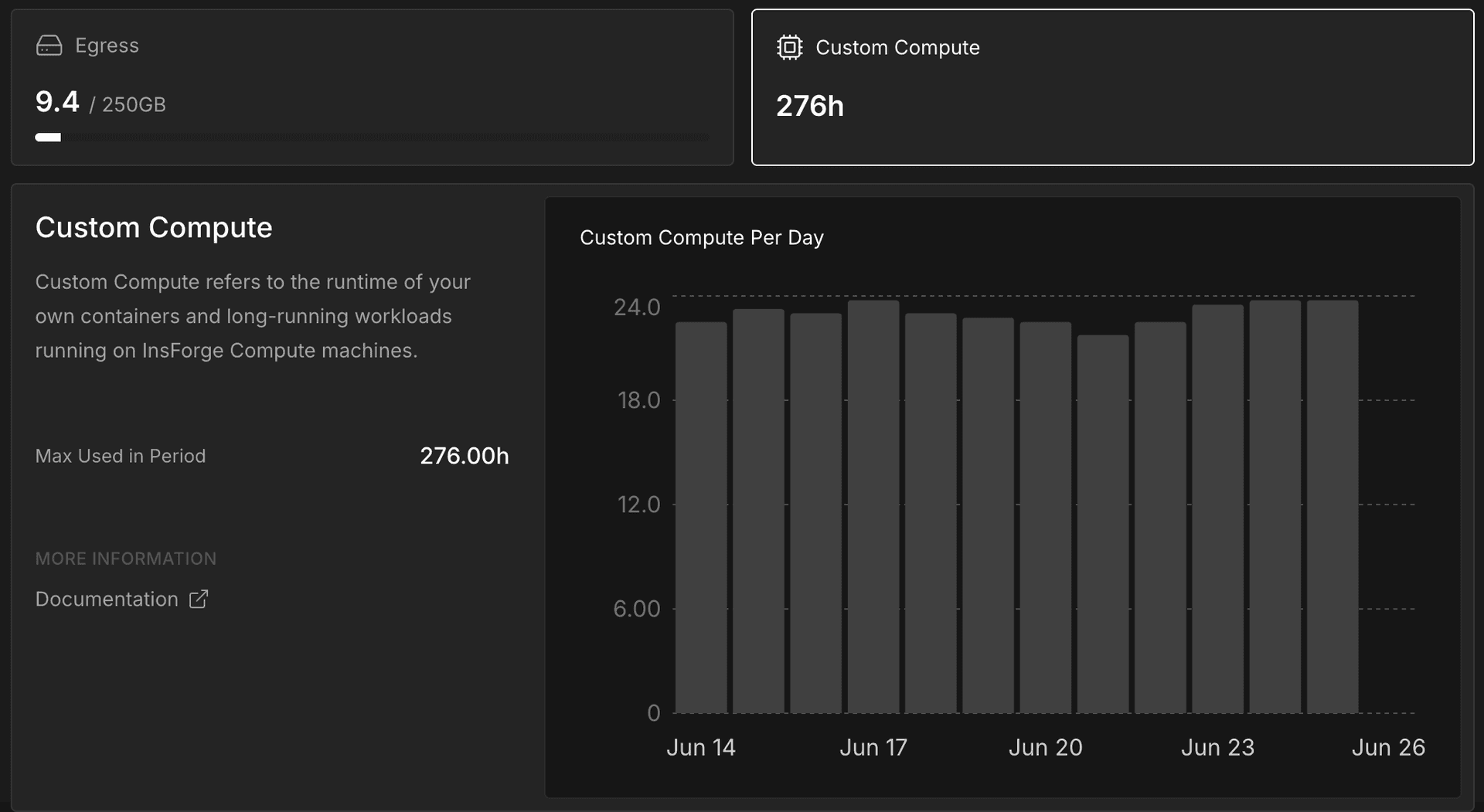
The cloud dashboard now shows Custom Compute usage on the Usage page.
You can see how much Custom Compute your organization has used in the selected billing cycle, compare it with your plan, and review the trend alongside the rest of your usage.
Composite Key Fixes in the Dashboard
We fixed a set of database dashboard issues around tables that use multi-column keys.
Editing, deleting, and browsing records in these tables is now more reliable. Linked-record views and the schema visualizer also handle these relationships more consistently, especially when a table has several relationships pointing to the same place.
This should make the dashboard feel safer for teams with more advanced database schemas.
More CLI Commands
The InsForge CLI has a broader command surface for day-to-day project operations.
You can now manage more billing tasks from the terminal, including checking subscription status, viewing credits, reviewing billing cycles, opening the billing portal, and starting a plan upgrade.
The CLI also adds support for project transfers, deployment metadata, deployment slug management, and Apify data-source setup.
Project transfers include an extra confirmation step so they do not happen by accident. The Apify flow connects your project once, then lets local tools use the integration without asking you to paste a personal key into your app.
Developer-Created Schemas in the Data API
InsForge now supports developer-created database schemas in the Data API and dashboard workflows.
If your app separates data into multiple schemas, InsForge can now work with those schemas instead of assuming everything lives in the default one. Internal system schemas remain hidden, so custom schemas are available without exposing InsForge-managed internals.
Edge Functions Now Run on Deno Deploy v2
InsForge v2.2.2 moves edge functions from Deno Subhosting onto Deno Deploy v2. Deno is sunsetting Subhosting, and its v1 API shuts down on July 20, 2026.
Projects created on or after June 18, 2026 already run on Deno Deploy v2, with nothing to do. For any project created before then, upgrade it to v2.2.2 from the dashboard and re-deploy each edge function once. The redeploy is what moves a function onto the new runtime. A function you never redeploy stays on Subhosting, and the official notice doesn't promise those keep serving past July 20, so re-deploy before the deadline.
If you call functions through the InsForge SDK, the URL resolves automatically and nothing in your client changes. Only a hardcoded raw function URL needs updating after the redeploy. If a redeploy fails, reach us on Discord.